TABLE OF CONTENTS
Overview
System for Cross-domain Identity Management (SCIM) is an open API for securely sharing user information between online systems. In Stack Internal Community, SCIM support allows an Identity Provider (IdP) to automatically update Stack Internal Community with the user's activation status and/or role. Unlike SAML 2.0 single sign-on (SSO), which passes user information only at login, SCIM sends updates whenever they occur. This provides Stack Internal Community near-real-time updates to user status and role as changes happen at the IdP.
Supported activities
The SCIM integration supports the following activities:
- Create (provision) a new user.
- Deactivate a user.
- Reactivate a deactivated user.
- Permanently delete a user. Learn more in the Automated User Deletion article.
- Promote/demote a user between administrator, moderator, and regular user roles.
- Update a user's display name, real name, or verified email address.
- Update a user’s department and title.
Enabling SCIM support does not disable user management options within Stack Internal Community. This means a user may have an active status in the IdP, yet be deactivated in Stack Internal Community through the admin user management settings. We recommend standardizing on a single provisioning workflow within your organization to avoid confusion.
Configure SCIM support on Stack Internal Community
The SCIM configuration on Stack Internal Community is the same regardless of IdP.
-
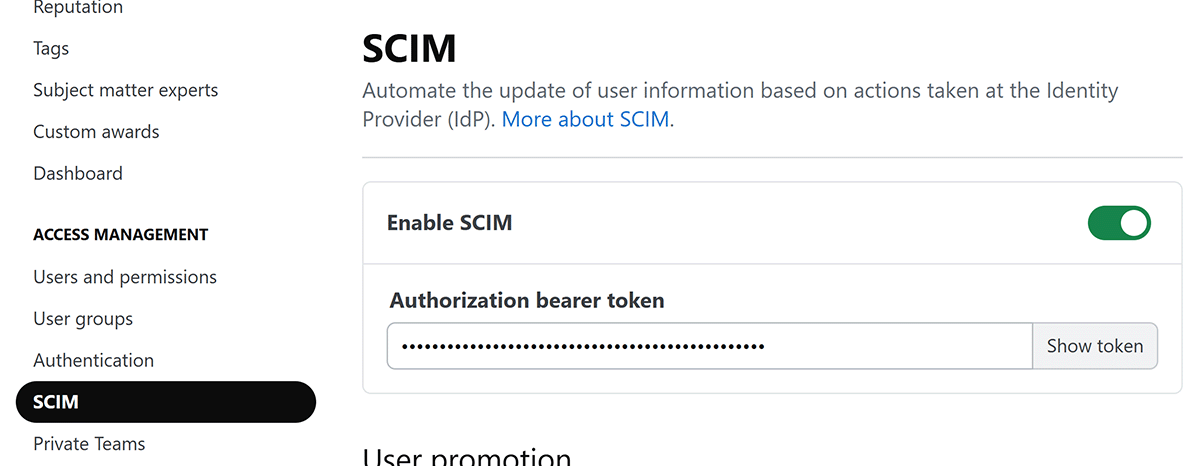
As a Stack Internal Community admin, click Admin Settings in the left-hand menu. Click SCIM under the "ACCESS MANAGEMENT" heading.
-
Configure the following settings:
- Click the Enable SCIM toggle to enable SCIM.
- Create an Authorization bearer token you'll later enter into the SCIM configuration on the IdP. You can enter any string of characters, but be sure to follow best practices for creating a strong token. Stack Internal Community hides the value by default. Click Show token to view and copy the value.
-
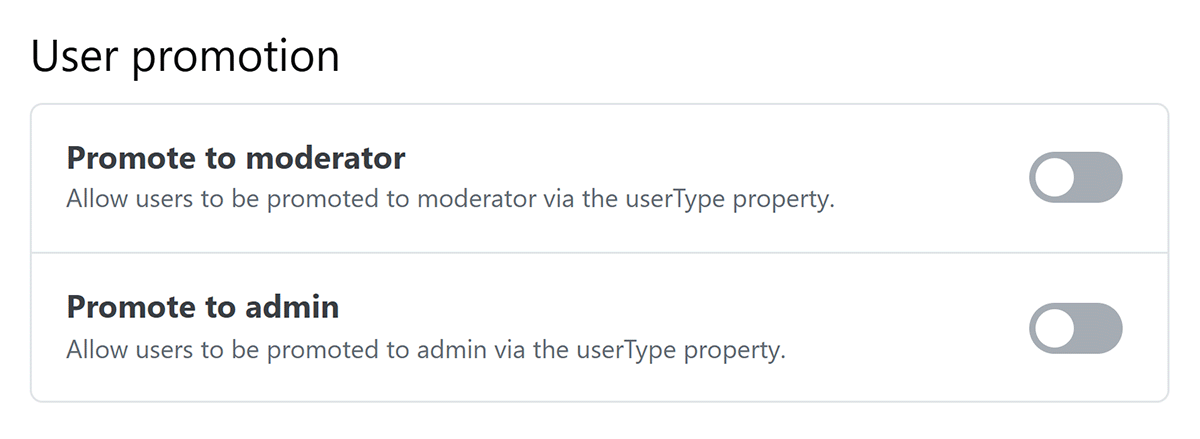
If you want SCIM to promote users, enable Promote to moderator and/or Promote to admin in the "User promotion" section.
-
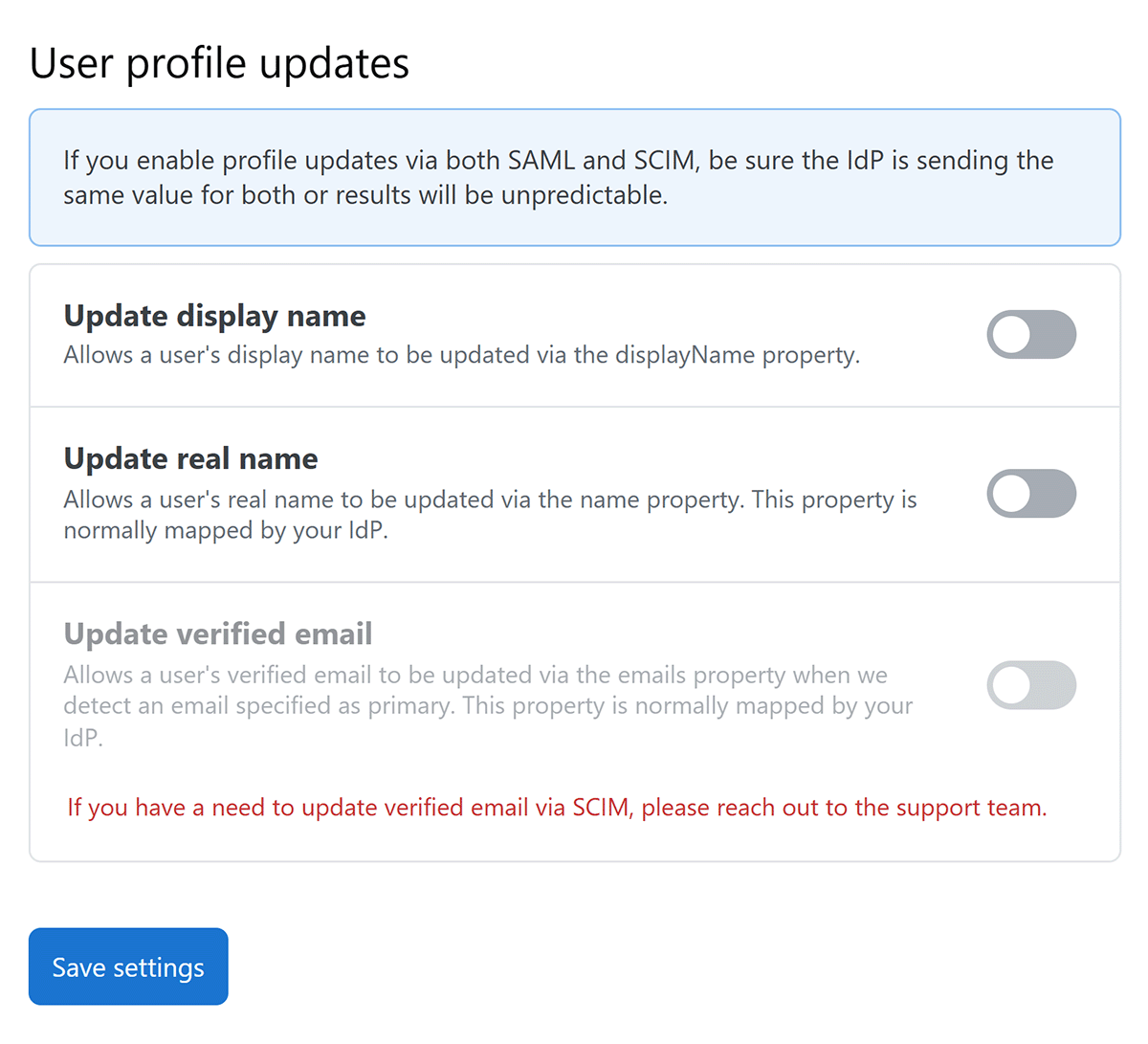
If you want SCIM to update user profiles, enable Update display name and/or Update real name in the "User profile updates" section.
-
Click Save settings.
Configure the Identity Provider
The following instructions are general instructions for SCIM compliant systems. If you're using one of the following IdPs, follow the links for detailed configuration information.
The IdP must send SCIM requests to https://[your_site].stackenterprise.co/api/scim/v2. In addition, the IdP must send the following values part of the user resource to correctly map the user and set their status:
userNameThe user ID (must match the User Identifier Assertion at https://[your_site].stackenterprise.co/enterprise/auth-settings).active(true/false) Determines whether or not the user should be deactivated or reactivated in Stack Internal Community.- Required fields for SCIM IdPs commonly map these for you, requiring no action on your part. If you want the name or verified email to be updated, they require enabling on the SCIM settings page on Stack Internal Community.
name.givenNamename.familyNameemails
userTypeorstackUserType(optional) Requires enabling one or both of the User promotion settings on the SCIM settings page on Stack Internal Community. Stack Internal Community will change a user's role based on the followinguserTypevalues: Registered, Moderator, or Admin. Because some IdPs reserveuserTypefor other purposes, we also allowstackUserType. If specified,stackUserTypewill always be used instead ofuserType.displayName(optional) Requires enabling display name updates on the SCIM settings page on Stack Internal Community. Allows you to update the user's display name on your Stack Internal Community site.department(optional) Allows you to update the user's department on your Stack Internal Community site.title(optional) Allows you to update the user’s title on your Stack Internal Community site.
Adding the optional user department and job title fields allows you to use Stack Internal Community's connectivity reporting feature. Learn more in the Connectivity article.
If your IdP does not support SCIM, an alternative is to have a separate application issuing the SCIM API calls to https://[your_site].stackenterprise.co/api/scim/v2 as outlined above.