TABLE OF CONTENTS
Overview
The Stack Internal Community Backstage integration makes it easy to ask questions, find answers, and collaborate on technical knowledge–all without leaving your developer portal.
Before you can use the Backstage integration, your site admin will need to follow the steps in the Backstage.io Integration article.
Here’s what you can do with the Stack Internal Community Backstage integration.
Search Stack Internal Community questions directly from Backstage
You can search for Stack Internal Community content using the Backstage Search box, just as you would search for any other documentation or component. This brings your team’s collective knowledge to the forefront, right where you're working.
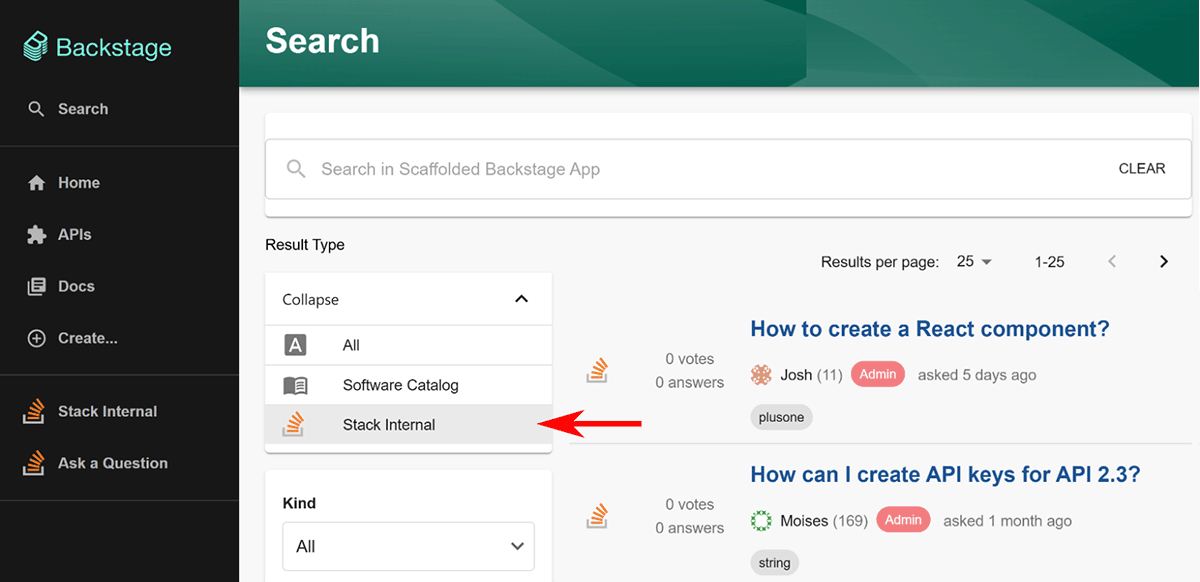
When you search, the Backstage integration includes Stack Internal Community results in your regular search results. To view only Stack Internal Community search results, select Stack Overflow in the Result Type menu.
Access the Stack Overflow Hub
The Stack Overflow Hub in Backstage offers a central place to access your team’s most valuable content. To sign in to the Stack Overflow Hub, use one of the following methods based on your version of Stack Internal Community.
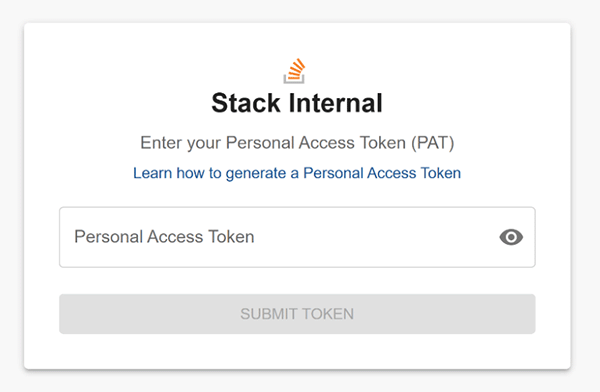
If you're using Stack Internal Community Basic or Business, follow the instructions in the Personal Access Tokens (PATs) for API Authentication article to obtain an access token.
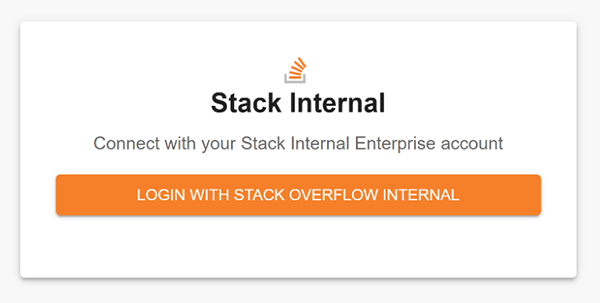
If you're using Stack Internal Community Enterprise, you’ll see a "Stack Internal Community Login" prompt. Click LOGIN WITH STACK OVERFLOW. Backstage will sign you in automatically with OAuth, no token required.
You’ll be able to access the Stack Overflow Hub’s features, including asking questions on your Stack Internal Community Business or Enterprise site.
You can ask questions only on Stack Internal Community Business and Enterprise (not Free or Basic).
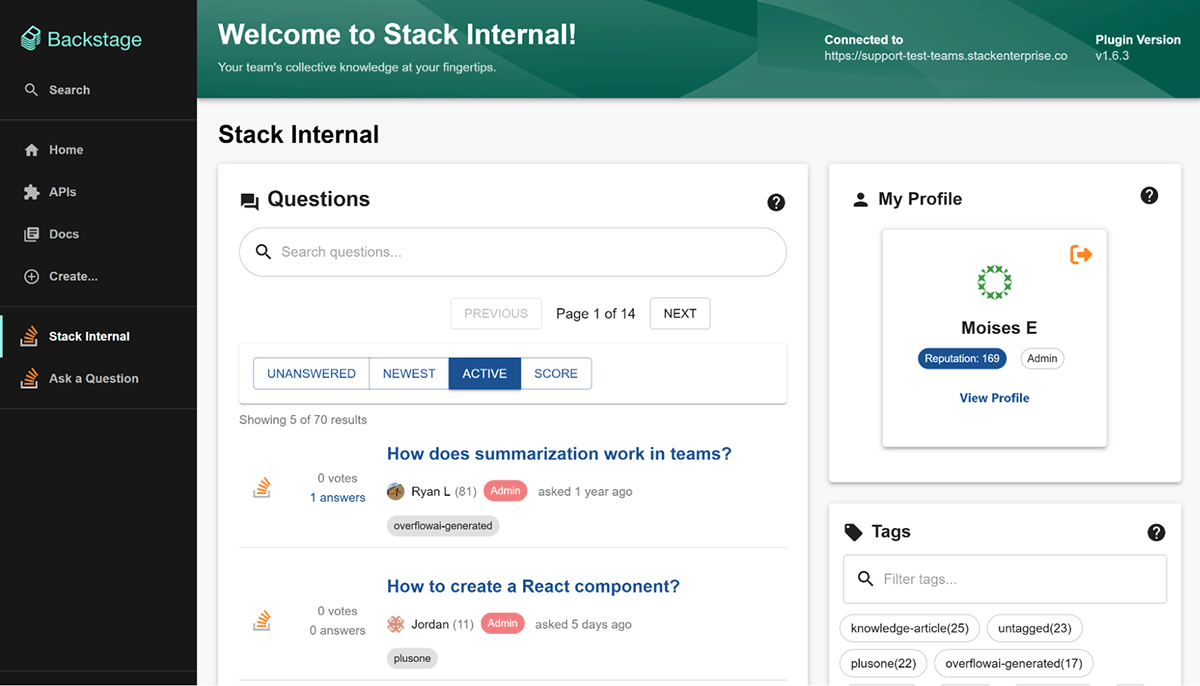
The Stack Internal Community Hub brings key functions of your Stack Internal Community site directly into Backstage. These include:
- See top questions, trending tags, and active users from your site.
- Use the hub's Search box to find specific questions. Results will appear after a short pause while typing.
- Browse and navigate easily to your Stack Internal Community site's questions, tags, and top users.
Ask questions from anywhere in Backstage
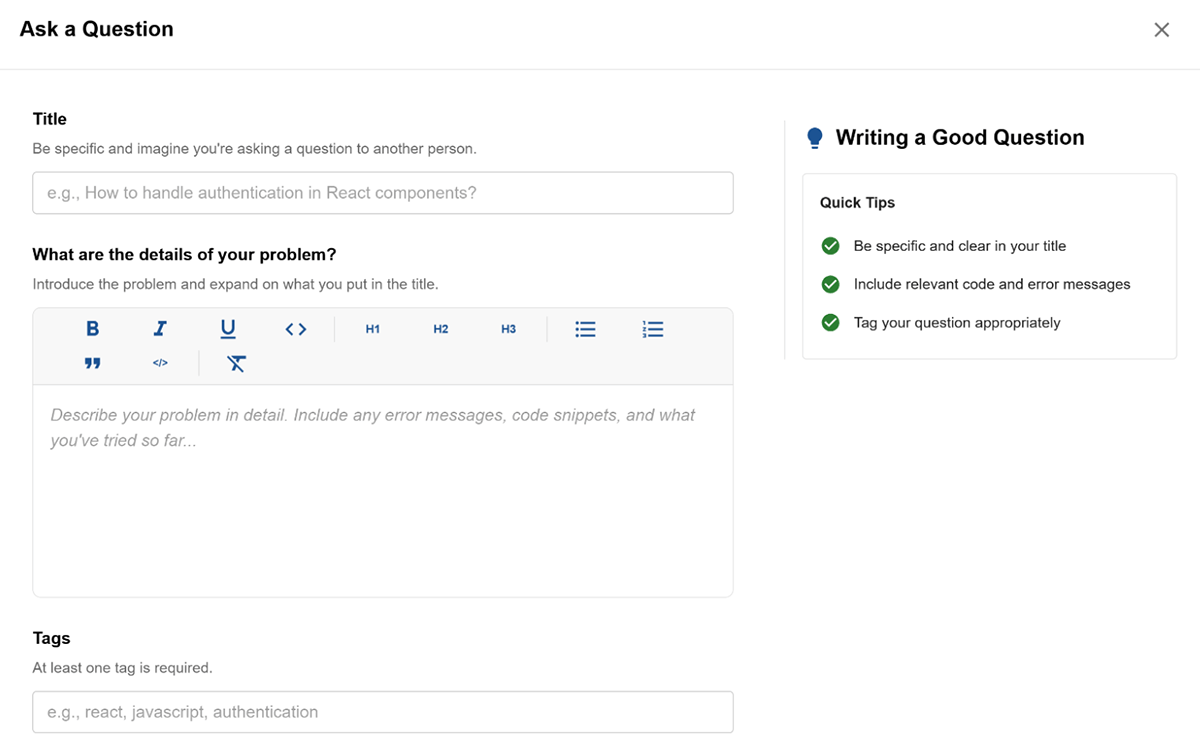
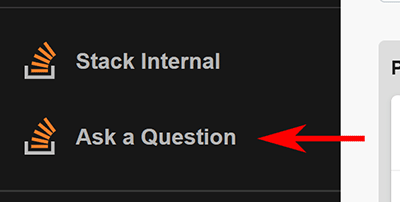
Once you're logged in, you can post a question to your Stack Internal Community site without ever leaving the page you’re on. Just click Ask a Question on the sidebar (look for the Stack Internal Community logo).
A window will appear with the following components:
- A rich text editor to format your question for clarity and ease of reading.
- Helpful tips to guide your writing.
- An auto-complete Tags field that suggests relevant tags as you type.